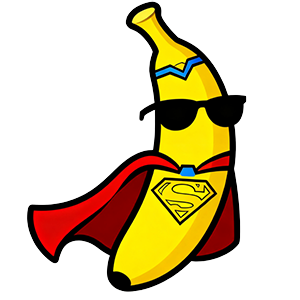
Or try with a sample picture:
Upload an image or enter a prompt, then generate to create your result.
Turn photos into clean line art with AI. Perfect for coloring books, tattoos, logos, design. Crisp outlines, no manual tracing. Convert your first image now—free!

Convert to Line Art transforms uploaded photos into a cleaner illustrated output, helping you move from a raw image to a more reusable visual asset.
Generate crisp, clean line art with well-defined outlines, smooth contours, and precise edges that capture the essential structure, form, and character of your original image perfectly.
Create high-quality line drawings with consistent line weights, clean edges, proper proportions, and professional-grade quality suitable for commercial design and artistic projects.
Perfect for coloring books, design templates, tattoo outlines, educational materials, artistic line drawing projects, logo development, and illustration work with professional results.
Control the level of detail and complexity in your line art, from simple clean outlines to intricate detailed drawings with fine lines and subtle contours for any purpose.
Choose Convert to Line Art when you need a more graphic, stylized result without redrawing the image by hand or rebuilding the design from scratch.
Answers about Convert to Line Art, the best images to upload, output quality, and practical use cases.
Upload the image you want to convert, generate the Convert to Line Art result, and download an illustrated version ready for reuse or further editing.
Select and upload any image you want to convert to line art. Works best with images that have clear subjects, well-defined edges, and good contrast for optimal results.
Adjust the prompt to specify line thickness preferences, detail level, simplification amount, and the overall style of line art you want. Our AI processes your preferences automatically.
Generate your clean line art conversion instantly. Download the high-quality result ready for coloring, design use, printing, or any creative application.
Convert to Line Art is built for clean style transfer, recognizable subjects, and outputs that work well in both quick content and polished design tasks.
Advanced AI technology that intelligently extracts clean lines from images with precise edge detection and professional quality.
Control line thickness, detail level, and complexity. Adjust settings to create your perfect line art style.
Clean line art with smooth contours, consistent weights, and professional quality perfect for coloring and design.
Lightning-fast AI processing delivers line art in seconds. No manual tracing needed.
Generate multiple line art variations with different styles. Find the perfect artistic representation.
Download line art in high resolution perfect for coloring books, design templates, and artistic projects.
See how creators use Convert to Line Art in merch, branding, content, and fast concept work that needs a clear illustrated style.
Clients bring in line art from their photos. Clean enough to trace and adapt. Huge time saver.
Lena Kowalczyk
Tattoo Artist
I convert sketches to clean line art for coloring pages. The simplification is spot-on.
Hiroshi Yamamoto
Children's Book Author
Logo drafts and icon work—this tool nails the edge extraction. Use it almost daily.
Rachel Green
Graphic Designer
Teaching contour drawing? I show students the AI result first, then they trace by hand.

Kevin O'Brien
Art Teacher
Custom line art portraits for customers. Clean outlines, happy buyers.
Isabella Romano
Etsy Seller
SVG-ready quality for our site. No manual tracing. Just upload and refine.

Drew Foster
Web Designer
Upload a photo and convert it into a reusable illustrated asset in a few clicks.